
the caf2code press
Quick Tip: Remove Space between Footer and Post in Divi

Divi has a weird quirk where any blog post that is published has a space between the post and the footer. Luckily there is a quick fix.

Click on the gear icon in the Divi Visual Builder.
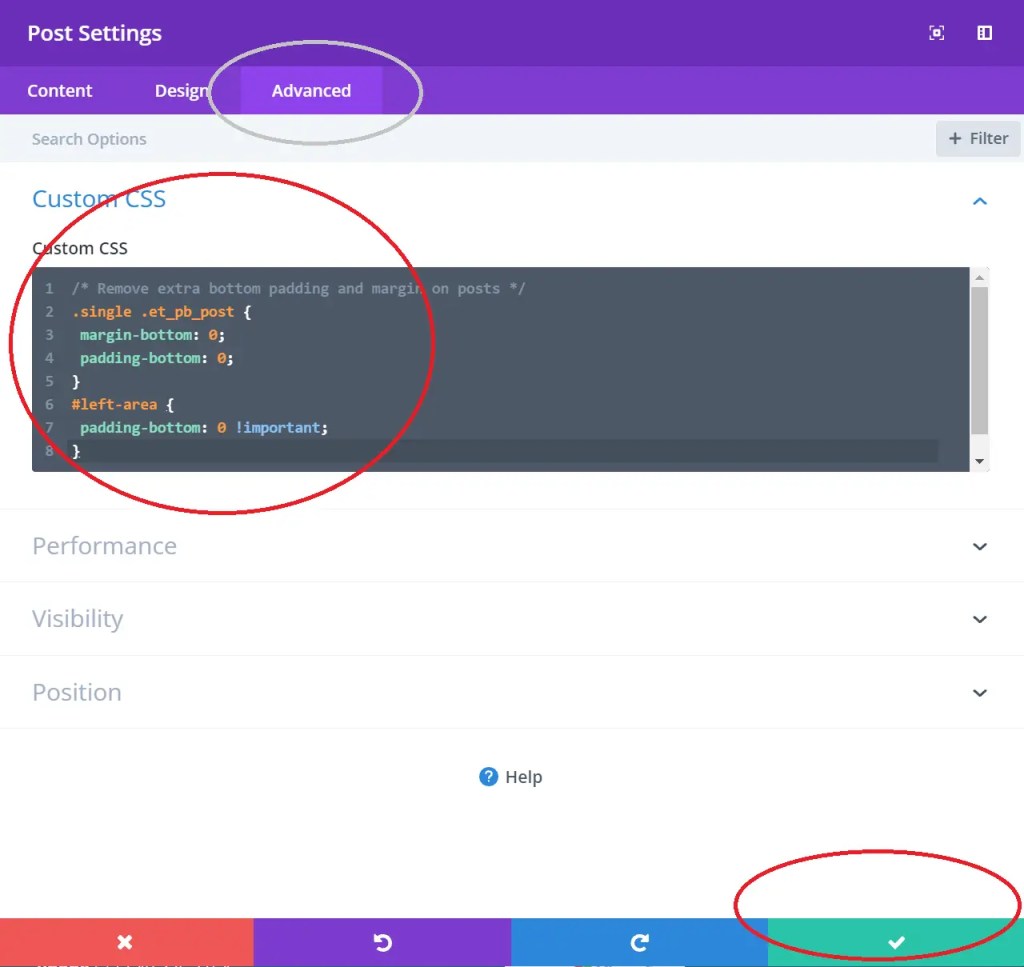
In the CSS section of the post editor, add the following code snippet and save.
.single .et_pb_post {
 margin-bottom: 0;
 padding-bottom: 0;
}
#left-area {
 padding-bottom: 0 !important;
}
If it is saved correctly, you should no longer see a space between the post and footer.